How to Build a Professional Quote That Wins Deals — A 5-Step Guide
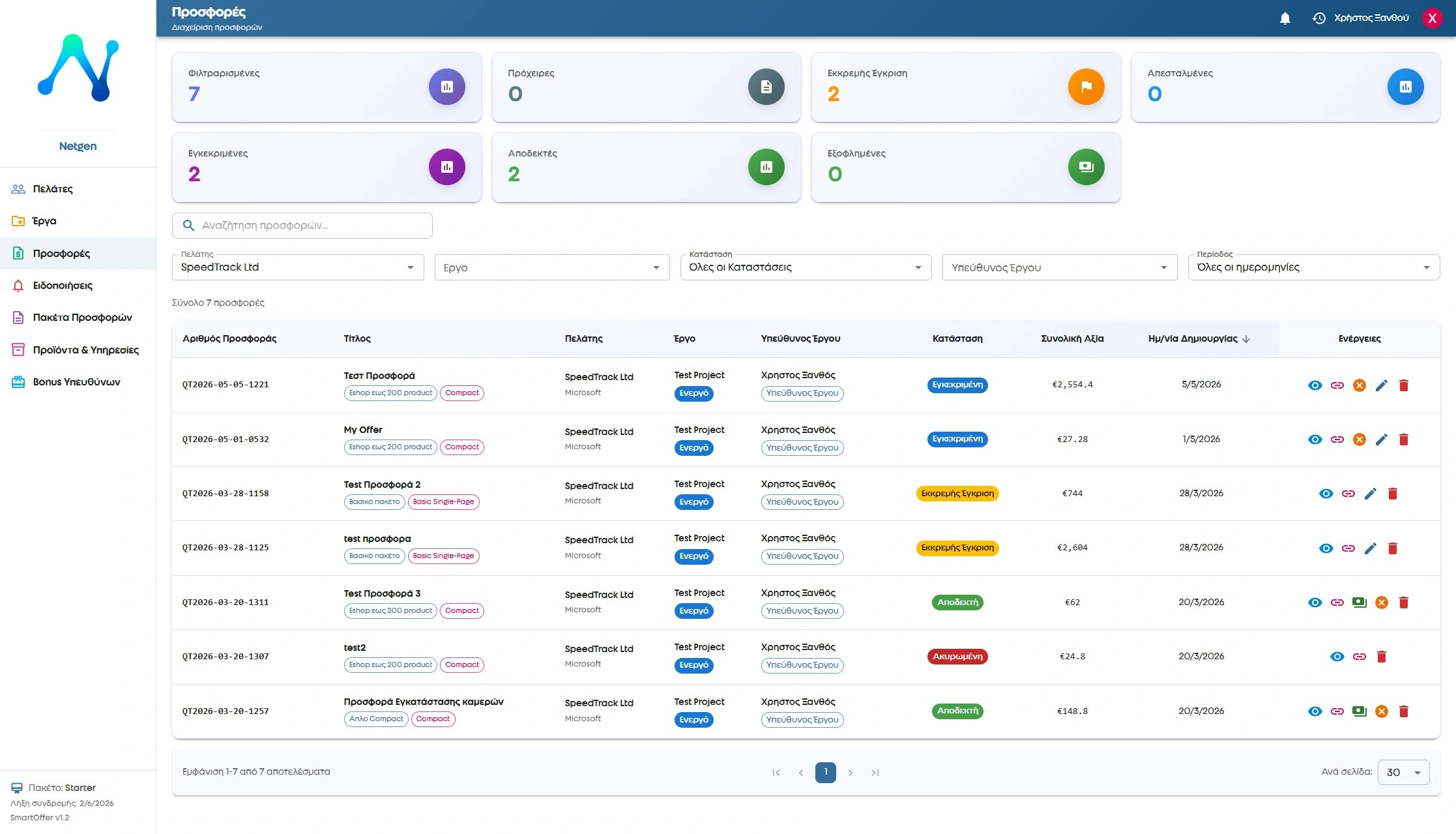
If you have ever lost a client because your quote arrived late, was unclear or simply didn't look professional, you're not alone. Creating a professional quote is one of the most important skills for any business or freelancer.
In this article we'll look at exactly what a professional quote should contain, how to structure it, how to send it and, most importantly, how to improve the chances that it gets accepted.
Why does your quote matter so much?
A quote is often the first formal impression you make on a prospective client. A well-made quote shows professionalism, reliability and respect for the client's time. A careless or incomplete one, on the other hand, can cost you the deal even if your price is competitive.
Studies show that businesses that send structured, professional quotes have up to a 30% higher acceptance rate than those that just send an email with prices.
Step 1: Fill in the right details
Every client quote should include:
- Your company details — business name, VAT number, logo, phone, email
- Client details — name, company, contact email
- Unique quote number — for easy reference (e.g. QT2026-05-001)
- Issue date and validity — e.g. "Valid until 31/05/2026"
- Project title — a short description of what the quote covers
These basic details immediately make the quote look professional and help you avoid misunderstandings later.
Step 2: List your services with clear prices
This is the most important part. The list of services should be detailed and clear:
- Each service on its own line — don't lump everything into one
- A short description of what each service includes
- Quantity, unit price and total per line
- A clear statement of what is not included (this avoids disputes)
Example of a good structure:
E-shop build (WooCommerce)
Includes: installation, custom theme, 50 products, payment gateway, SSL
Does not include: product photography, copywriting
Price: €1,200 + 24% VAT
Step 3: Set out VAT, discounts and payment terms
Many quotes fall through because the client doesn't understand the final price. Make sure that you:
- State clearly whether prices are including or excluding VAT
- Show any discounts separately (e.g. 10% discount = -€120)
- Give the payment terms — e.g. "50% deposit, 50% on delivery"
- Put the final price in bold
Step 4: Send the quote and track it
Sending by plain email has one big drawback: you don't know whether the client has seen it. A modern quote management system lets you:
- Send the quote as a link — the client sees a professional layout on any device
- See whether and when they opened the quote
- Get notified when they accept or reject it
- Export it automatically to PDF for formal use
This is exactly what SmartOffer does — NetGen's online quoting system. Instead of wasting time with Excel and email, you create professional quotes in a few minutes and track every step in real time.
Step 5: Follow up — don't just wait
The biggest mistake after sending a quote is waiting. According to statistics, more than 50% of quotes that got no follow-up were never answered.
The right approach:
- 2-3 days later — send a short email: "I sent you the quote, do you have any questions?"
- 1 week later — call to answer any questions
- Before it expires — let them know the quote expires soon
SmartOffer notifies you automatically when the client views the quote, so you know exactly when to follow up.
What makes a quote stand out?
Beyond the steps, a few things make a difference:
- Branded look — logo, company colours, professional layout
- Clear language — don't use technical terms without explaining them
- Fast turnaround — a client who asks for a quote wants a reply within 24-48 hours
- Clear call to action — "Accept the quote with one click"
- Mobile-friendly — many clients open email on their phone
The most common quote mistakes
- ❌ Vague prices — "cost depends on requirements" helps no one
- ❌ Sending late — after 3 days the client has already talked to a competitor
- ❌ No validity period — a quote without an expiry date creates no urgency
- ❌ No follow-up — sending and waiting rarely works
- ❌ Poor presentation — a Word file or unformatted email looks unreliable
How do you automate the process?
If you send a lot of quotes every week, creating them by hand in Excel or Word costs you a lot of time. Quote software lets you:
- Use ready-made templates you set up once
- Copy old quotes and adapt them in a few minutes
- Keep a central record of all quotes by client
- See statistics — acceptance rate, average decision time, etc.
Try SmartOffer for free
NetGen's quote management system — create your first professional quote in a few minutes.
🎁 Free 14-day trial Learn moreSummary: the perfect professional quote
To create a professional quote that wins deals, you need:
- ✅ Complete details and a unique quote number
- ✅ A detailed list of services with clear prices
- ✅ Clear presentation of VAT, discounts and payment terms
- ✅ Fast delivery in a professional format
- ✅ Tracking and follow-up
If you want to do all this automatically and save time, take a look at SmartOffer — the online quoting system that does exactly that.
Contact
Tell us about your new project